
1. To change the IP address, please login to the web GUI:
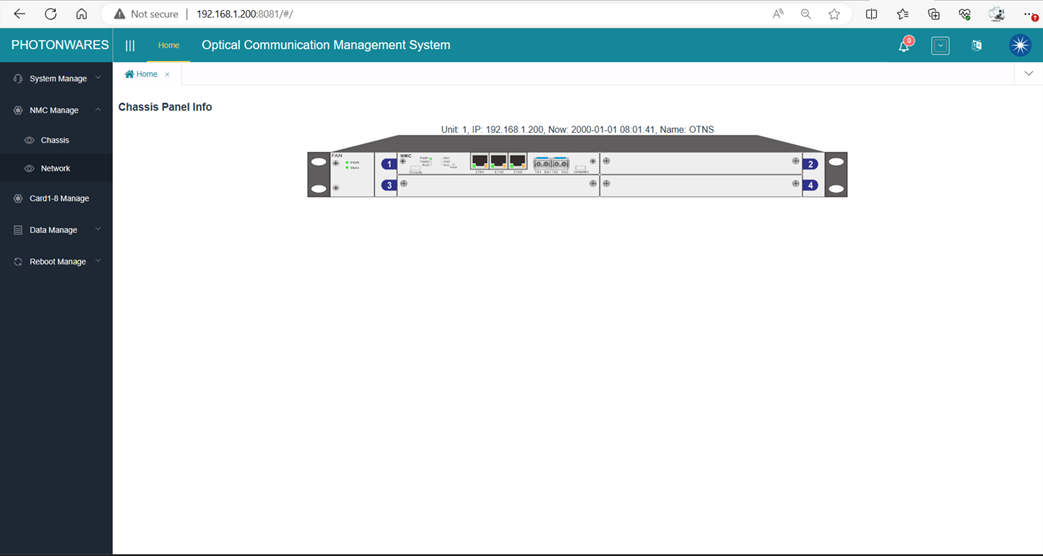
2. Click ‘NMC Manage’, ‘Network’, on the left side panel you’ll see the Network configuration page:
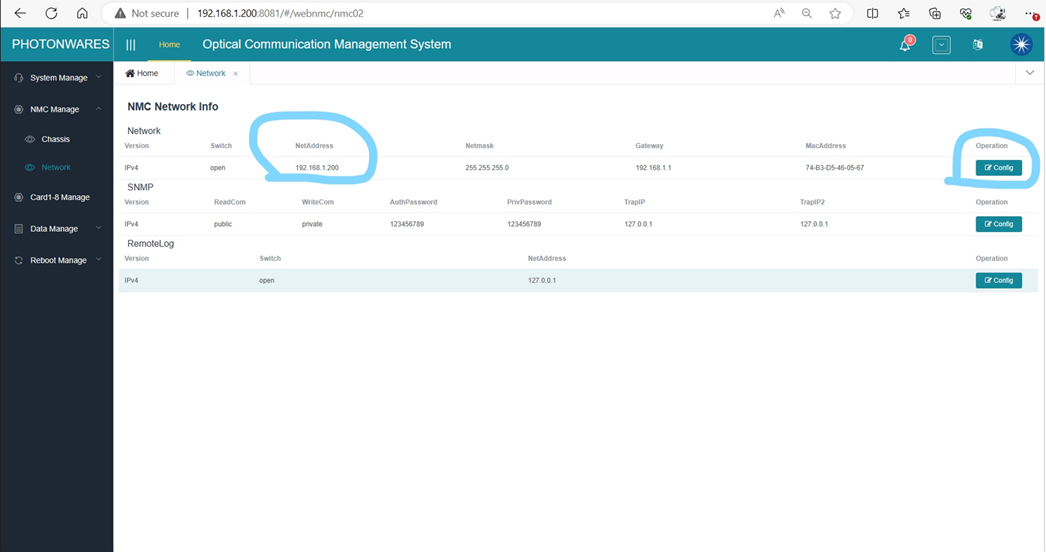
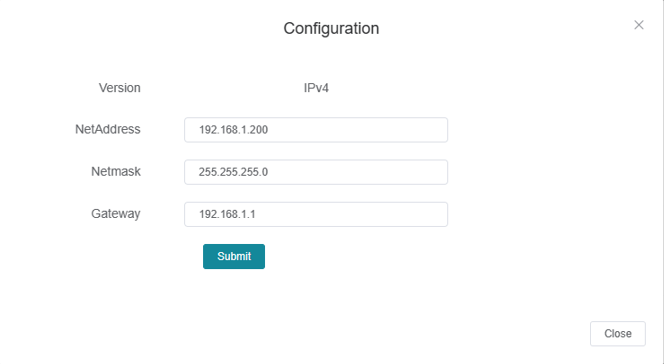
3. Click ‘Config’ to change the IP address according to your network settings.
1. To change the IP address, please login to the web GUI:
2. Click ‘NMC Manage’, ‘Network’, on the left side panel you’ll see the Network configuration page:
3. Click ‘Config’ to change the IP address according to your network settings.