
Skip to navigation Skip to content
  • Products
  • About Us
    • Home
    • Contact
    • Location
    • Careers
      • Technical Sales Engineer Position
      • MEMS Engineer Position
    • Markets
    • Services
    • Technology
    • Certificate of Incorporation
  • Support
    • RMA Request Form
    • Export Control Form
  • Online Order Status
  • Products
  • Cart
  • About Us
    • Home
    • Contact
    • Location
    • Careers
    • Markets
    • Services
    • Technology
  • Support
  • Order Status
  • Payment Portal
  • $0 0 items
×
Home / Support / How To Change IP Address of The Ethernet Interface

How To Change IP Address of The Ethernet Interface

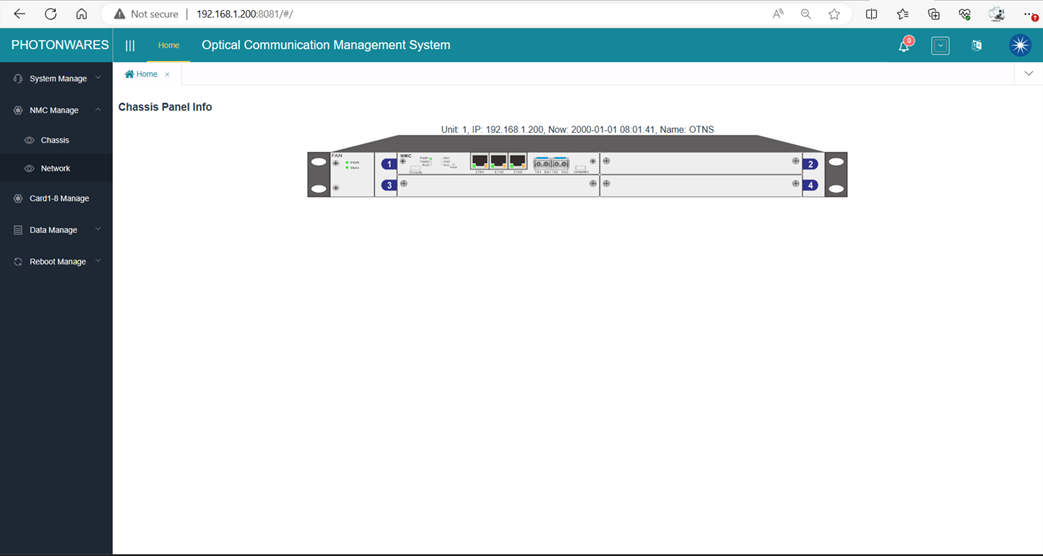
1.  To change the IP address, please login to the web GUI:
 

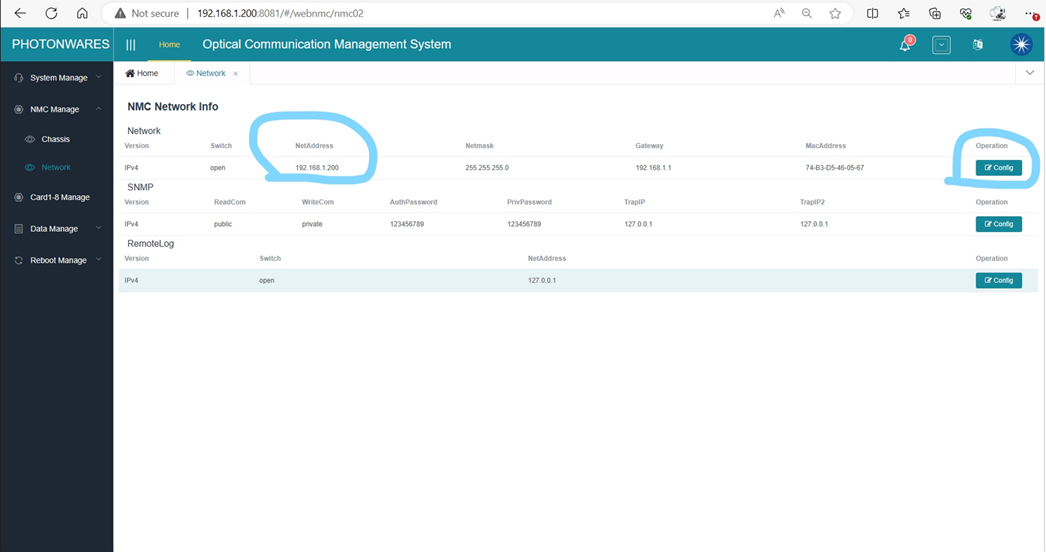
2.   Click ‘NMC Manage’, ‘Network’, on the left side panel you’ll see the Network configuration page:
 

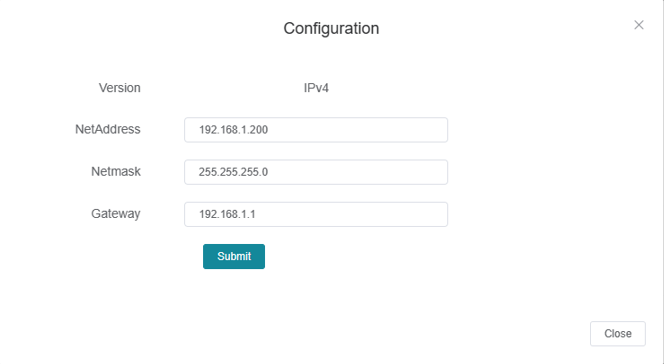
3.   Click ‘Config’ to change the IP address according to your network settings.
Category: Support

Post navigation

Previous post: How To Select Variable Optical Attenuator (VOA) Type?
Next post: How To Measure The Return Loss of A Fiber Optical Device

Follow us

ISO 9001 Certified
Join Our Mailing List
© Agiltron Inc. 2026
  • My Account
  • Search
    ×
  • Cart 0
Questions About This Product

If you have any questions about our products, feel free to reach out!

📧 Email us at:

Contact Us